

Fabric and material libraries
PBR materials shared across products, so a fabric range built once applies to the whole collection.
Fashion Configurator
One platform for personalised fashion — fabrics, colourways, artwork and made-to-order options across clothing, shoes, socks and jewellery.
No credit card required
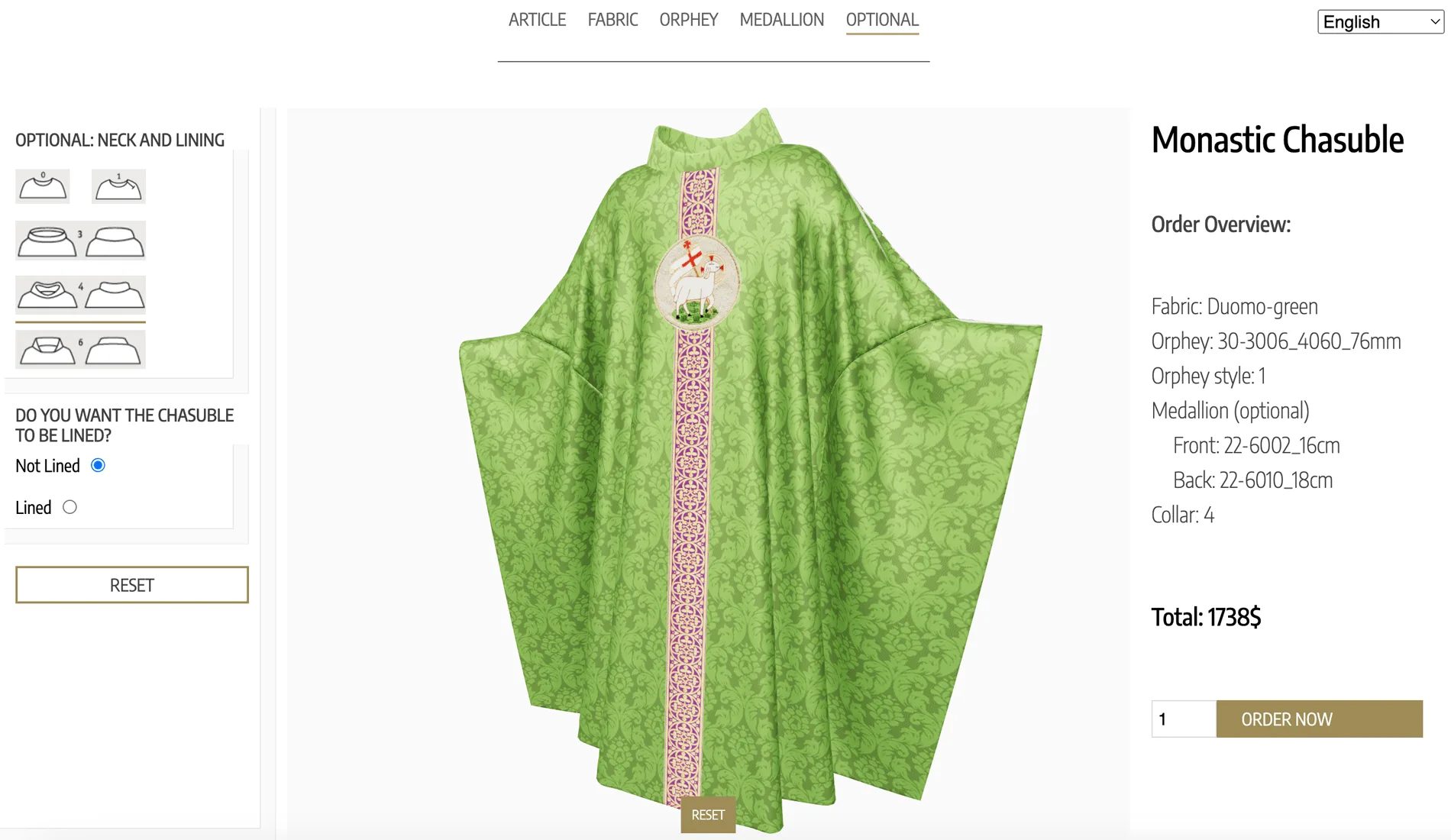
PBR materials shared across products, so a fabric range built once applies to the whole collection.
Colour applied per panel or per component, which is how fashion products are actually specified.
The Design Canvas positions, scales and rotates decals, logos and artwork on the product surface.
The Pattern Designer applies repeating patterns with adjustable scale, rotation and offset.
Text Input and Image Upload let customers add names, initials and their own artwork.
Wearable AR mode tracks the face, wrist or body for accessories, alongside standard surface placement.
See how users score Simplio3D across the major software review platforms.

4.6/5

4.3/5

9.5/10
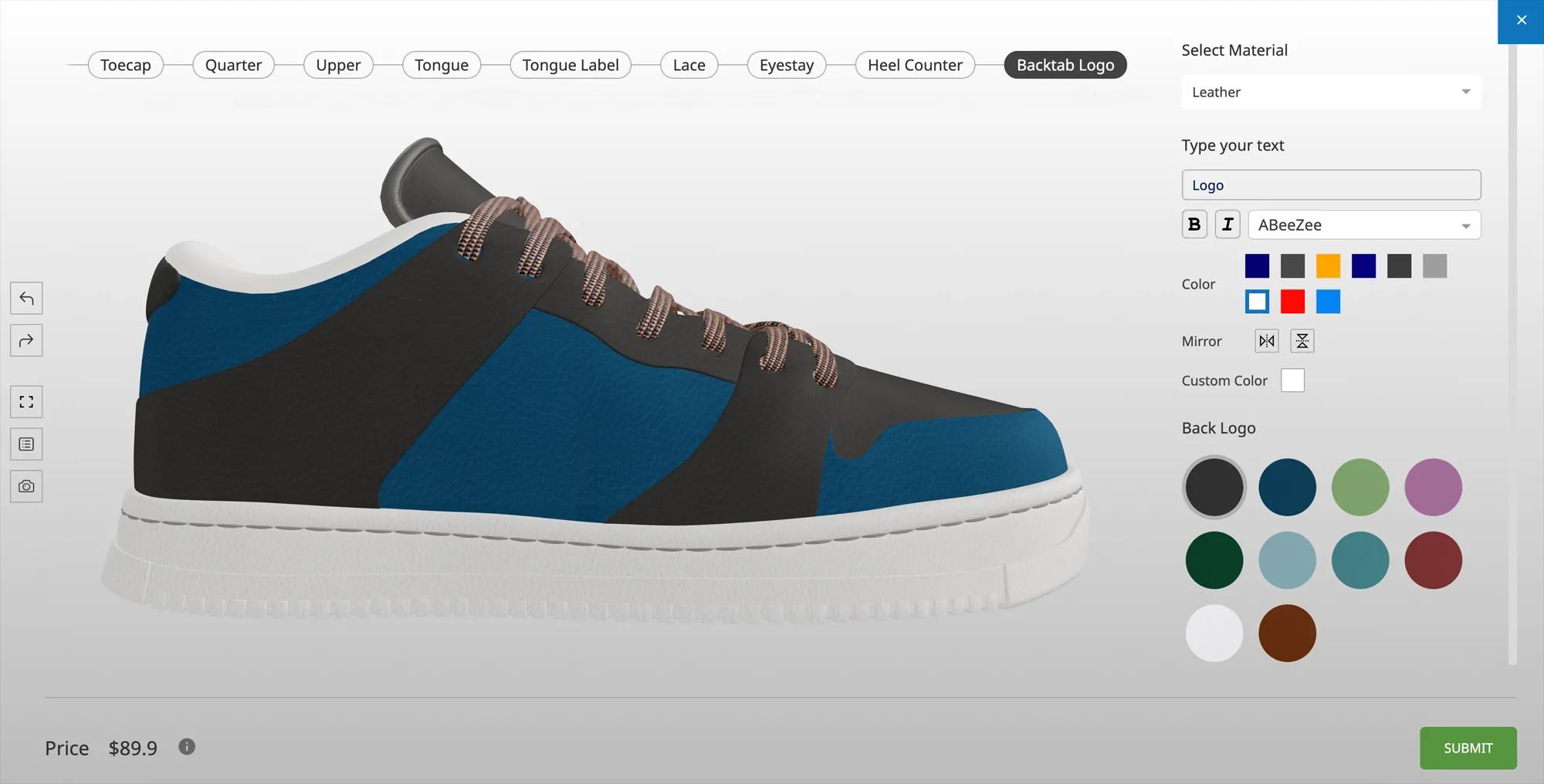
Fashion brands rarely sell one category. A configurator that only handles garments leaves footwear, accessories and jewellery on a separate system with separate assets and separate rules. Simplio3D treats them the same way: models, materials, option blocks, conditional logic and pricing. The material library is shared, so the second product is considerably faster to build than the first.
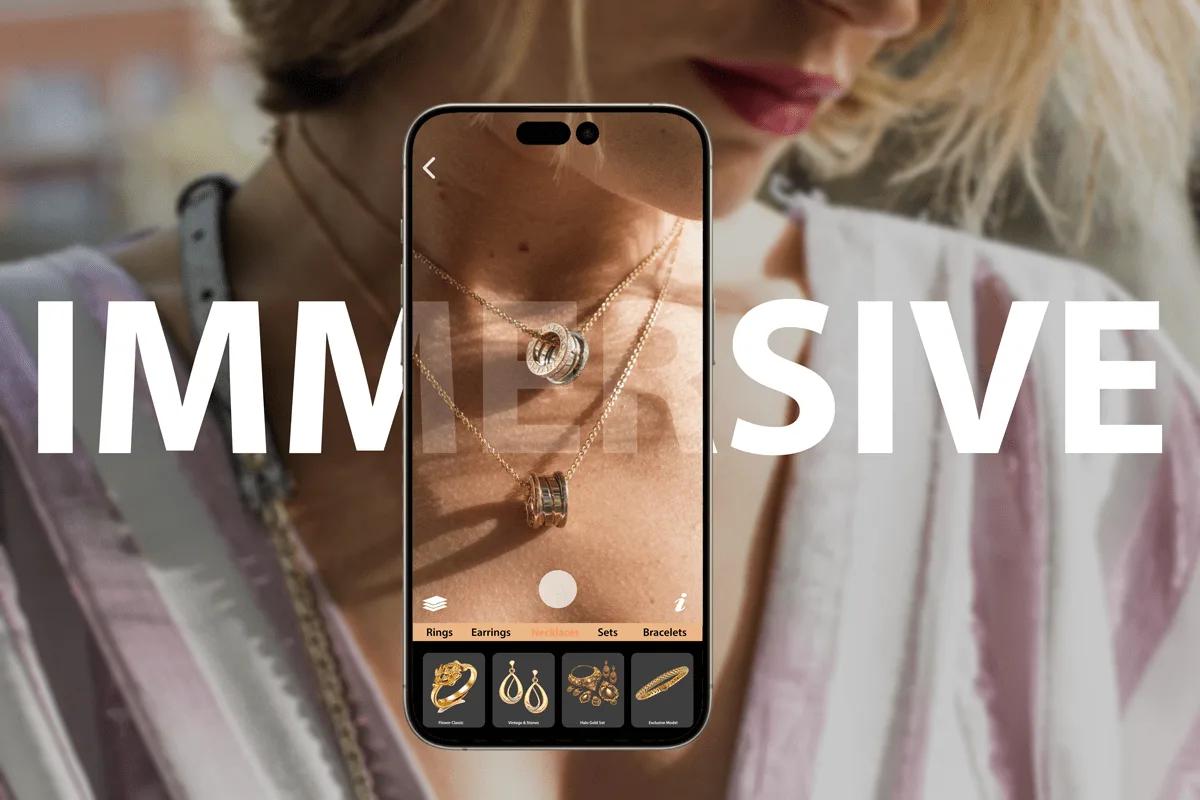
For accessories and jewellery, AR wearable mode tracks the face, wrist or hand rather than a floor surface, so a customer sees a configured piece on themselves. It runs on the AR frameworks built into iOS and Android, so there is nothing to install — the project simply needs a share link enabled.
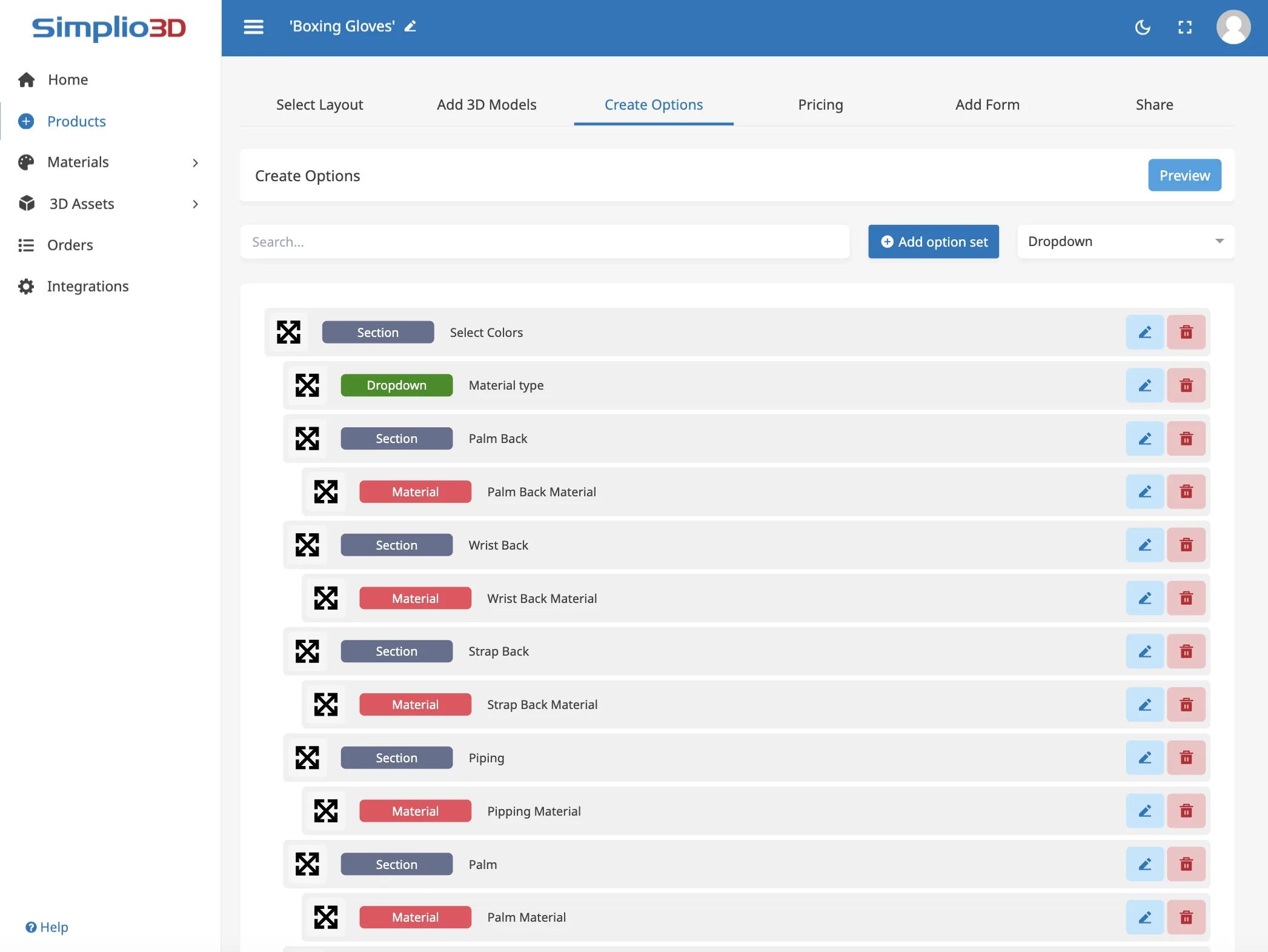
Setting up a fashion configurator means building every option, every rule that links them, and every price that depends on them. Simplio3D can generate a working configurator from a product description, which gives you a structure to refine rather than a blank project. Its AI assistant can then audit what you have built — reviewing option coverage and conditional logic instead of leaving you to click through every combination. If you run a large catalogue, the MCP server lets an assistant connect with a scoped token to evaluate logic and calculate prices directly, proposing changes before anything is applied.
Build the material library once and reuse it across the collection.
Import the garment, shoe or accessory with panels, trims and decoration zones separated so each can take its own material or artwork.
Build the material library once — fabrics, leathers, metals, finishes — and reuse it across every product in the collection. The second product is far quicker than the first.
Restrict decoration zones, artwork sizes and material combinations per product, so every category stays inside its own production limits.
Price by material and cut, adding personalisation and decoration as separate charges — one pricing approach reused across the collection.
Publish each product as its own configurator and embed them across the collection, sharing one material library between them.
















Yes. Projects are separate but share the material library and the same option, logic and pricing tools, so a collection can span apparel, footwear and accessories.
Text Input for names and initials, Image Upload for customer artwork, the Design Canvas for placement, and the Pattern Designer for repeating prints.
Yes. Wearable mode tracks the face, wrist or body, with three tracking categories, alongside the default surface placement mode.
Yes. You define the zones and options, and conditional logic restricts anything your production cannot deliver.
The configurator embeds on a product page and can push the configured item into a WooCommerce or Shopify cart at the calculated price.
Yes. The REST API and @simplio3d/sdk TypeScript client support custom storefronts, and a separate viewer package is available for a fully custom UI.
Metal, stone, setting and engraving with AR try-on on the hand or wrist.
Own a 3D product configurator to drive sales and generate proposals directly from your website