

Skip to content

Your go-to resource for support and information

How can we help?

Whether you need assistance with the product, have questions about services, or are looking for troubleshooting guides, the Help Center offers a comprehensive collection of articles, FAQs, and contact options.

Three ways to get unstuck

Start with the written material; open a ticket when the answer is specific to your project.

T

Tutorials

Learn in detail how to use the platform, from uploading and managing your 3D assets to creating materials, building product configurators, setting up pricing and conditional logic, publishing projects, and integrating them into your website or e-commerce store.

Start learning
F

Frequently Asked Questions

A quick reference guide that answers common questions, explains key platform features, and helps users quickly find solutions to frequently encountered issues.

FAQ
G

Get a personalized help with your issue

Get personalized assistance with your issue, including tailored guidance, troubleshooting, and clear next steps based on your specific situation.

Submit a ticket

Where to look, by question

Most questions land in one of these buckets.

Support routes by question type
If your question is about…Go toWhy
How a feature worksTutorialsStep-by-step product documentation, kept current with the platform
Plans, pricing or the trialFAQCovers plan differences, what the trial includes, and when Enterprise makes sense
A model that will not behavePreparing 3D modelsMost import problems are structure, UV mapping, pivots or polygon count
Connecting to a storeWooCommerce or Shopify tutorialEach integration has distinct modes and setup steps
Building headlesslyAPI and SDK referenceREST endpoints and the typed @simplio3d/sdk client
Something specific to your projectSubmit a ticketAnything account- or project-specific needs your workspace context
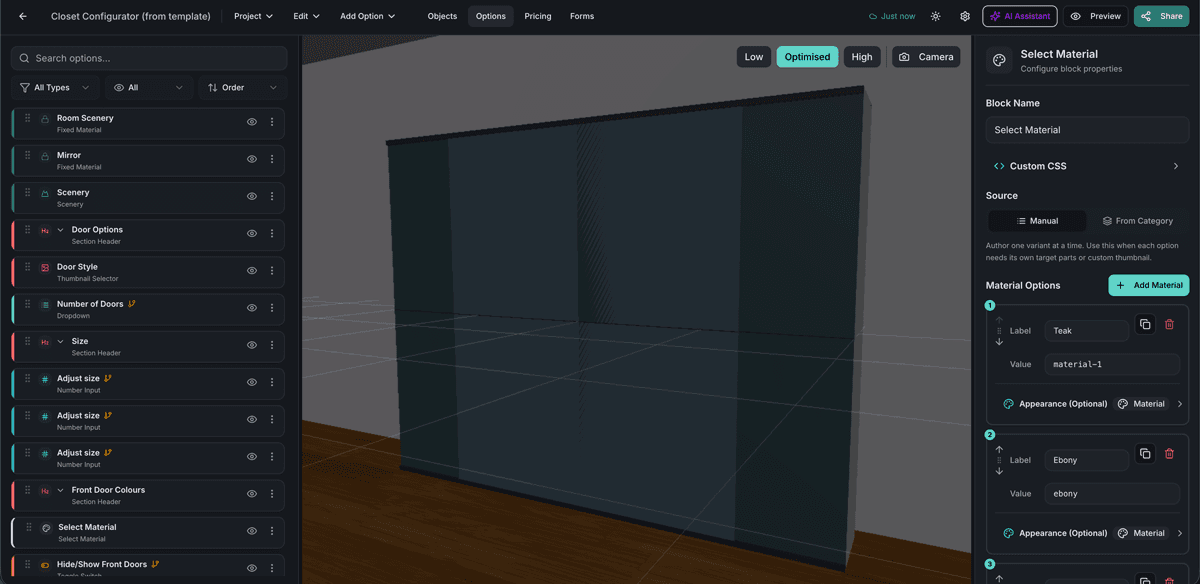
The Simplio3D editor interface showing configurator options

Check the configurator itself before opening a ticket

A large share of "it is not working" turns out to be an option or a rule rather than a fault. The AI assistant can audit a project for you — reviewing option coverage and conditional logic instead of leaving you to click through every combination. On a project with a few hundred options, that is the difference between finding a rule gap in minutes and never finding it at all.

Troubleshooting

Almost always UV mapping. The Image Upload and Text Input blocks need square, 1:1 UV mapping on the target area — a stretched UV island produces stretched artwork regardless of the source image.

Build, deploy and scale 3D commerce.

Own a 3D product configurator to drive sales and generate proposals directly from your website