

Size to the space
Width, height and depth adjusted to the customer’s room, with the carcass rebuilding around the numbers.
Online Closet Design Software
Let customers fit a wardrobe to their own space — dimensions, internal layout, doors and finishes — and see the design and the price in real time.
No credit card required
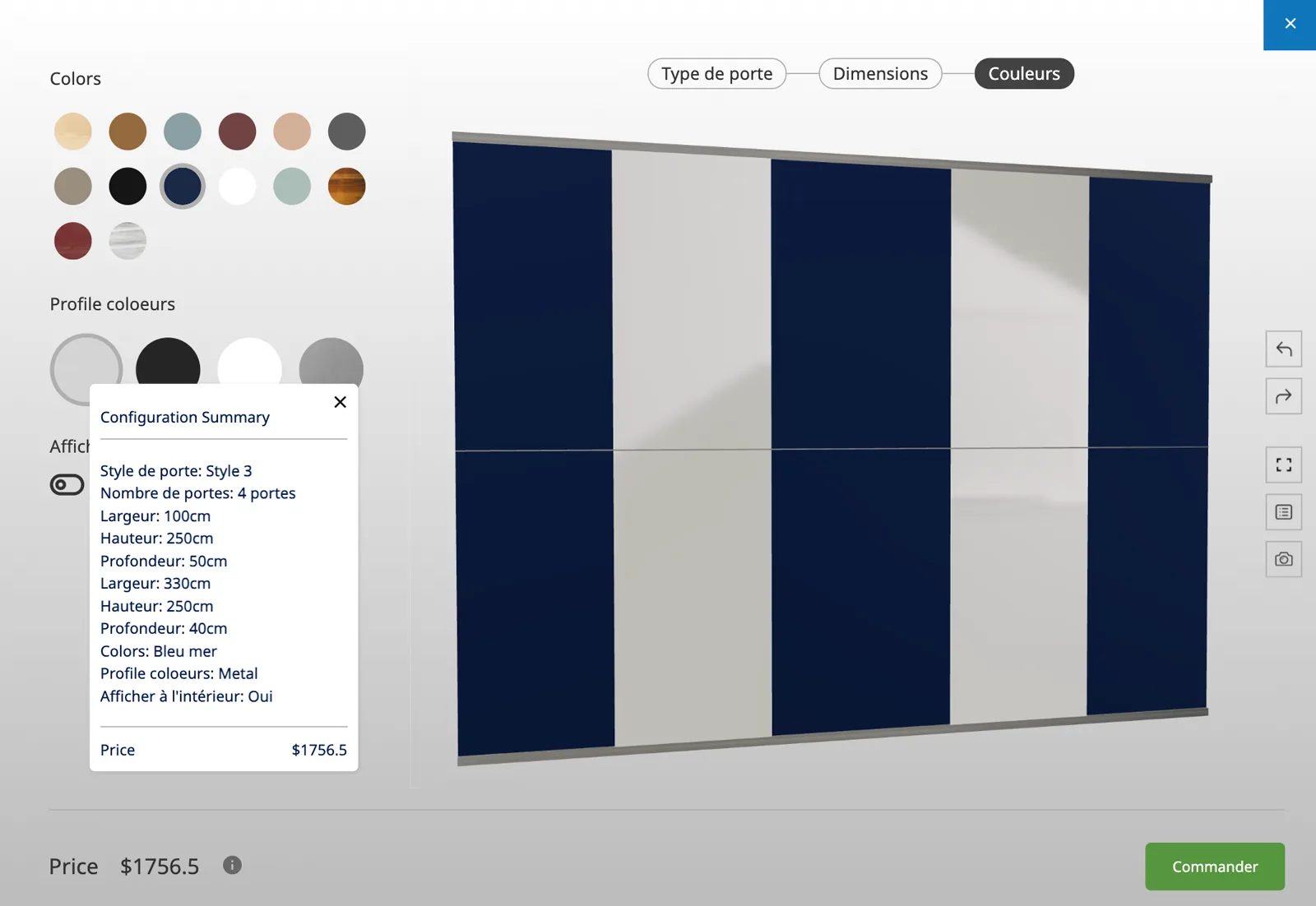
Width, height and depth adjusted to the customer’s room, with the carcass rebuilding around the numbers.
Shelves, drawers, hanging rails and dividers arranged into the combination the customer needs.
Hinged, sliding or open-front, shown on the model so the difference is obvious.
Board finishes, woodgrains and colours applied as real materials to carcass and doors.
Handle styles and finishes selected and rendered in position rather than listed separately.
Every module and finish feeds the total, so the customer sees the cost of each decision as they make it.
See how users score Simplio3D across the major software review platforms.

4.6/5

4.3/5

9.5/10
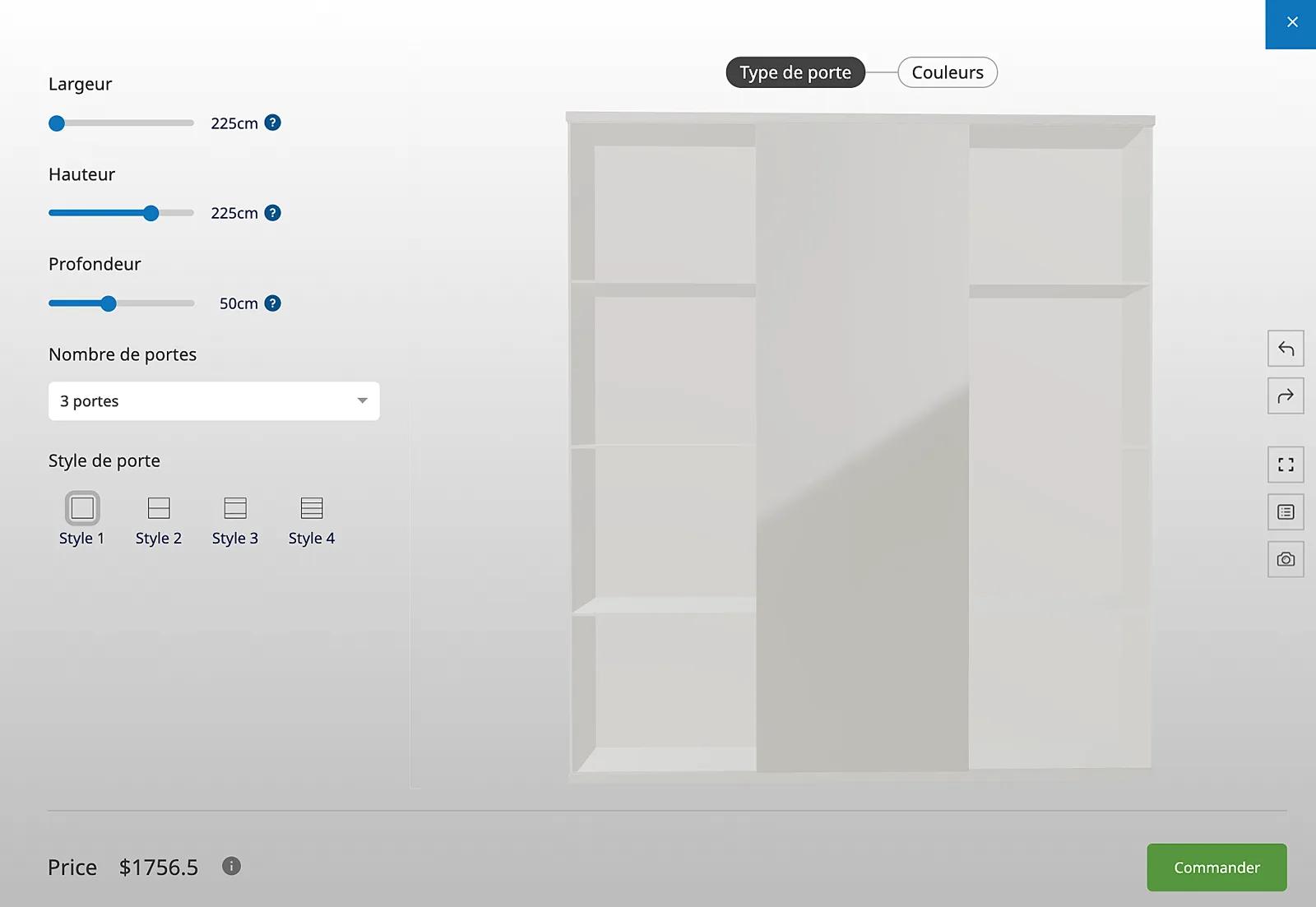
Nobody buys a fitted wardrobe from a photograph, because the photograph is of somebody else’s room. What matters is whether this configuration fits that space and holds what they own. Letting customers set the dimensions and arrange the internals themselves answers both questions in one session, and produces a specification your team can quote from directly.
Fitted storage is modular by nature. Simplio3D’s modular project type lets customers combine 3D modules with drag-and-drop, snap-point alignment, rotation, mirroring and undo — building a run of units rather than picking one from a list. That suits closets, wardrobes and storage walls better than a fixed configurator, and the advanced modular system is an Enterprise capability.
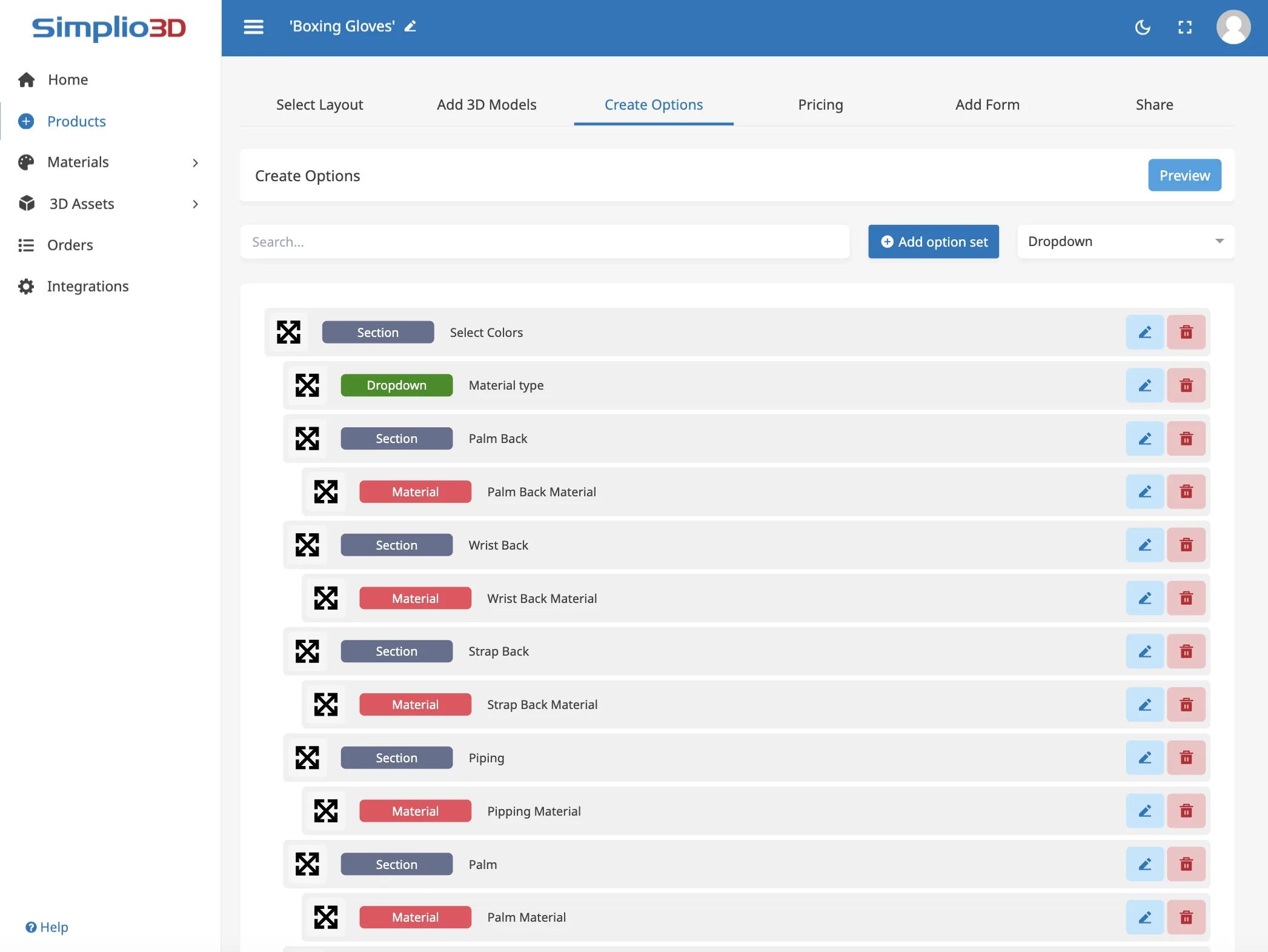
A closet configurator carries a lot of logic: options that only apply above a certain size, combinations that cannot be manufactured, prices that move with dimensions. Getting that right by hand is slow, and checking it is slower. Simplio3D can generate a working configurator from a product description to give you a starting point, and its AI assistant can audit an existing project — reviewing option coverage and conditional logic instead of leaving you to click every combination. For larger catalogues, the MCP server lets an assistant connect with a scoped token and evaluate logic or calculate prices directly, proposing changes rather than applying them silently.
From carcass model to a design tool embedded on your website.
Import the carcass, doors, shelves, drawers and rails as separate parts, or as modules if you want customers to assemble a run themselves.
Add dimension inputs for the opening, dropdowns for door type and internal layout, and swatches for board finish, colour and handles.
Restrict internal layouts by the carcass size and door type, so a customer cannot specify a drawer stack that will not fit the opening they entered.
Price by carcass size, then add each shelf, drawer, rail and finish upgrade as a priced module so the total tracks the design as it grows.
Publish and embed it on your fitted storage page, or use it in the showroom on a tablet while designing with the customer.
The team at Simplio3D is very easy to work with, great problem solvers and very budget sensitive.

The execution of ideas on paper to a finished, functional application couldn't have been done any better.

Simplio3D have significantly enhanced our product presentations, providing a unique and interactive experience for our clients.

Versatile, easy to use and easy to deploy 3D Configurator. Super simple to use and create configurations on.

I have used other similar platforms and find Simplio3D the most intuitive way to build a configurator. I'm not a CAD engineer so I wanted a solution without features I couldn't understand.

It was so simple to get started, and the results have been very impressive. We now have it live on four different platforms.

Yes. Width, height and depth are dimension inputs bounded by the sizes you manufacture, and the model and price respond as they change.
Yes. Shelves, drawers and rails can be exposed as options, or as drag-and-drop modules if you use a modular project.
A drag-and-drop assembly system where customers combine 3D modules with snap-point alignment, rotation, mirroring and undo. The advanced modular system is an Enterprise capability.
Yes. Materials use PBR texture maps, so woodgrains, matt and gloss finishes render as they will look rather than as flat colour.
Either. Pricing rules produce a live total, and a quote form captures the design and the customer details for your team to follow up.
AR places the configured product at true scale using the AR frameworks built into iOS and Android, which is useful for checking a run against a real wall.
Cabinets, tables and seating use the same option, material and pricing model as fitted storage.
Own a 3D product configurator to drive sales and generate proposals directly from your website


